
Find a time that works
Compare local times across cities, find a window for your next meeting, and see what time it is back home.
For iPhone, iPhone Duo, iPad & Apple Watch

iPhone or iPad
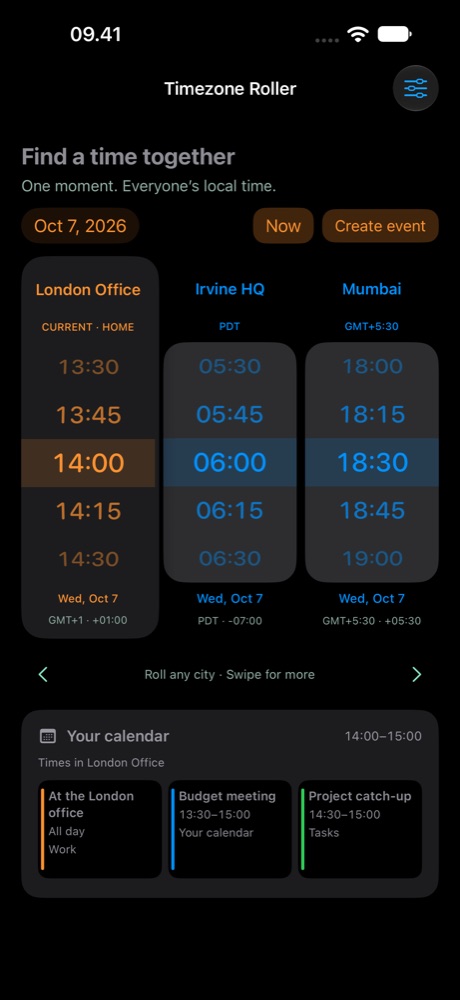
Compare city times
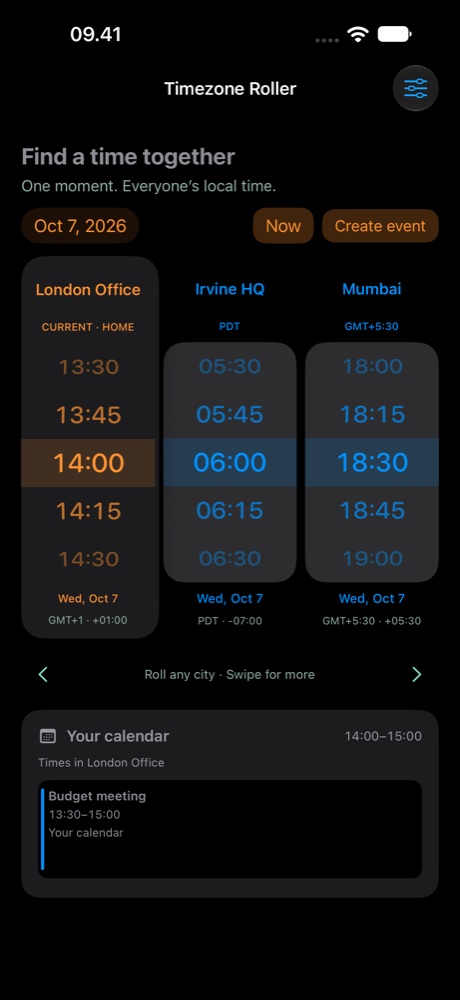
Roll any city’s wheel and the others follow. Swipe sideways for more cities, with your current time zone always at the left.
Find a meeting window
Working-hour shading makes timing easier. With Pro, see calendar events alongside your selected time and create an event through Apple’s familiar interface.
Keep your home time in view
The order adapts to your device’s time zone. Your current zone comes first, followed by home when you travel.
Compare more cities on iPad
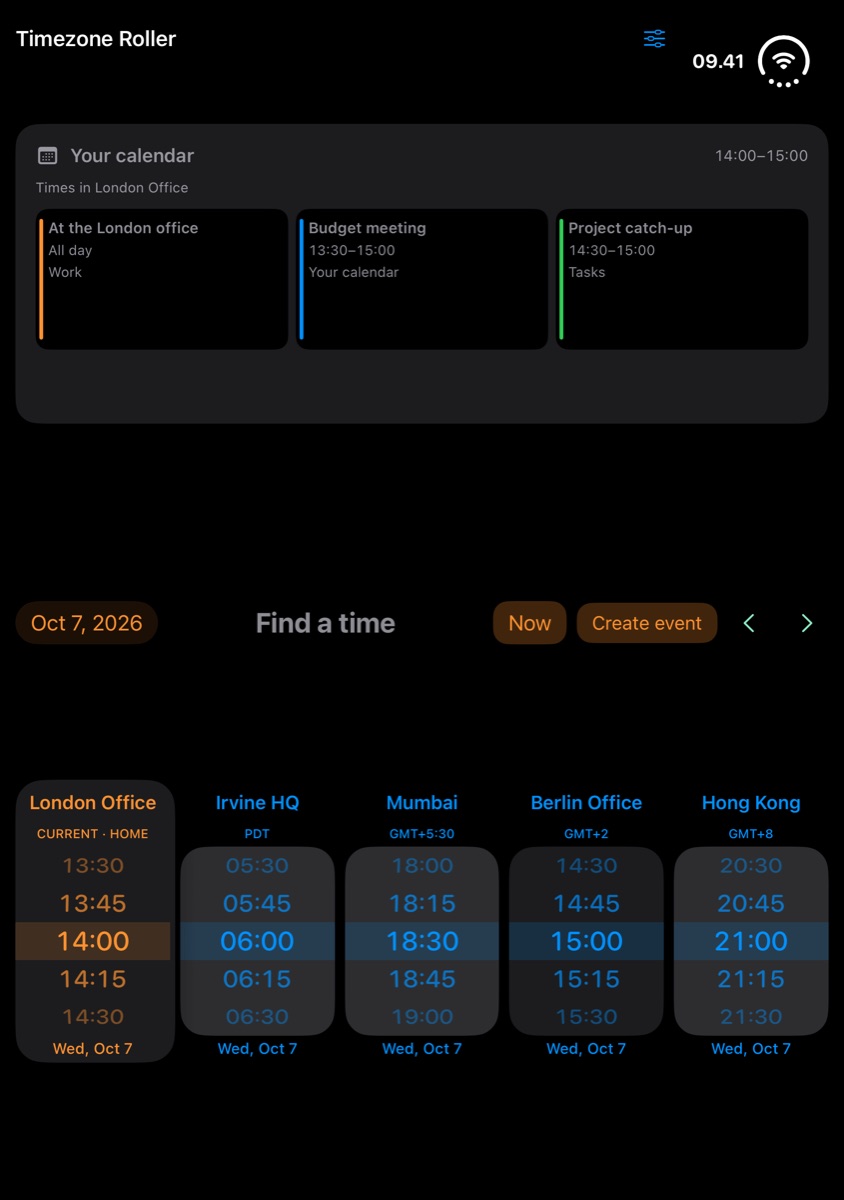
Spread out in landscape. Compare your team’s time zones and see overlapping calendar events together.
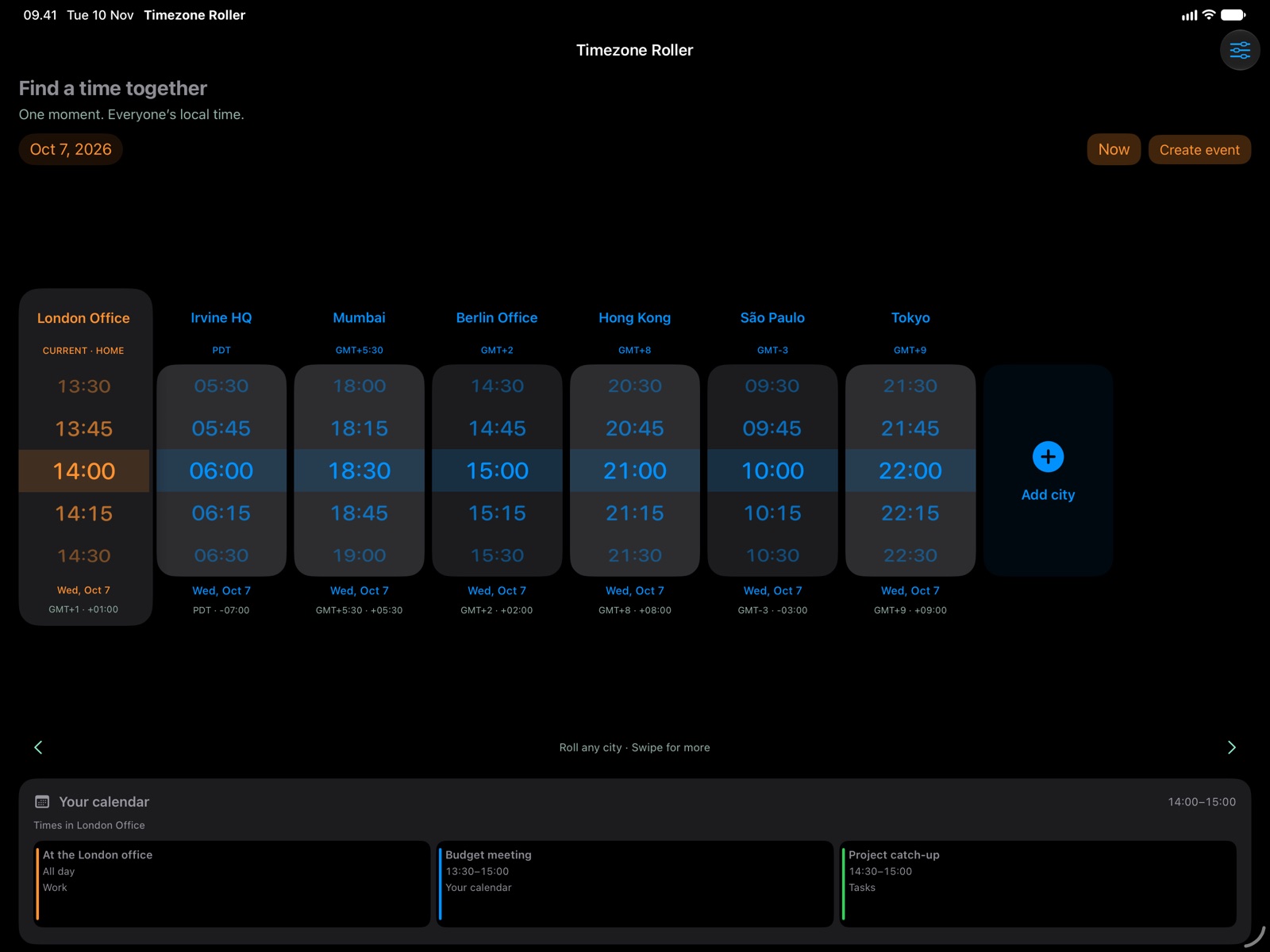
Calendar integration is included with Pro.
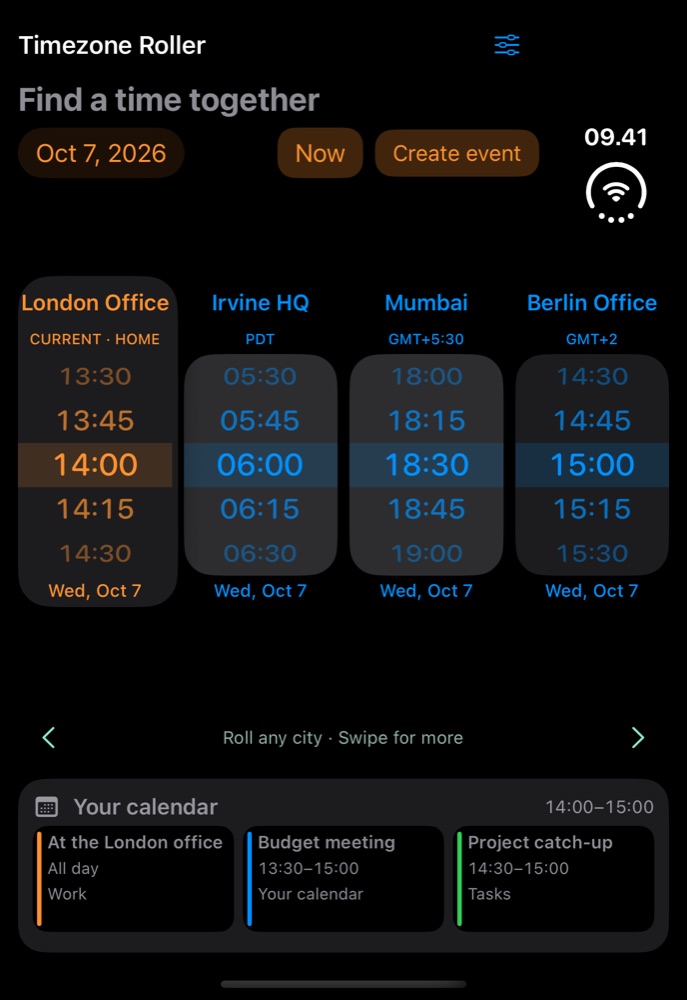
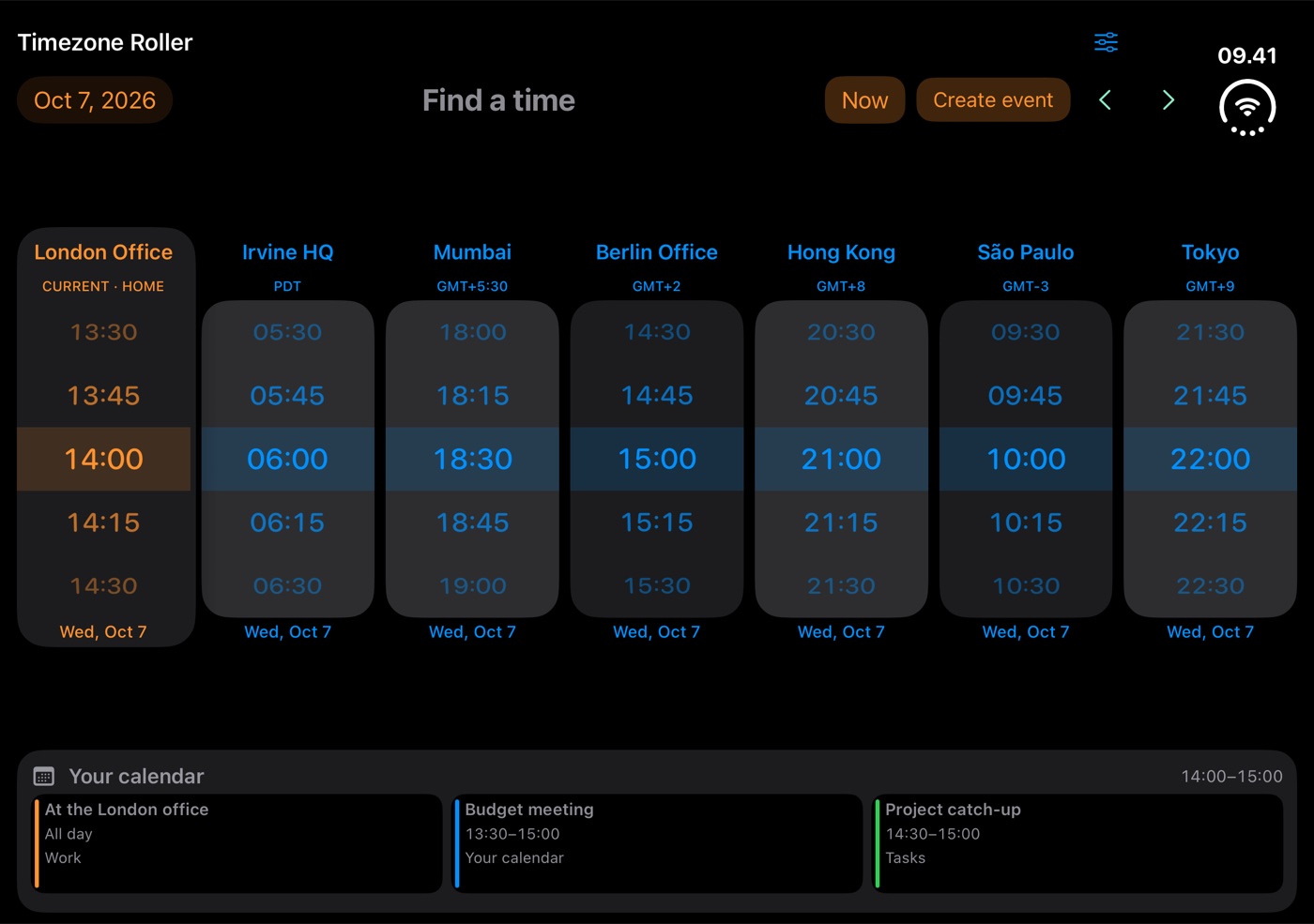
Compare cities in three Duo layouts
Compare four cities in closed portrait or seven in open landscape. In tabletop mode, see your calendar above five time wheels with Pro.
Plan around your calendar
Your calendar follows the selected time. See existing events, check for overlaps and create a meeting through Apple’s familiar event editor.
Tap an existing event to view or edit it.
Check local times on Apple Watch
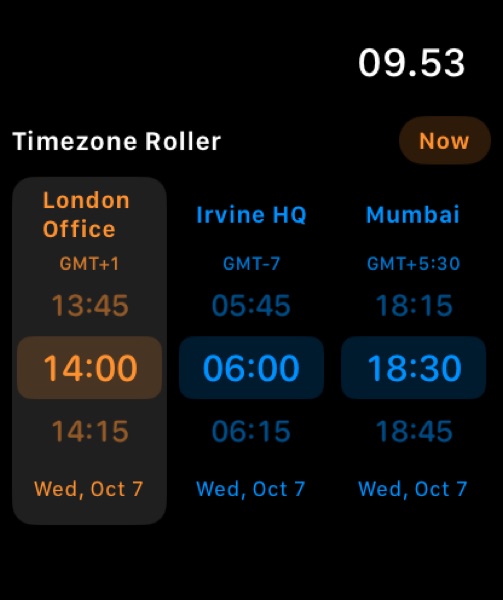
A quick reference wherever you are. Roll through time with touch or the Digital Crown, with your cities synced from iPhone.
Check local times from your Home Screen
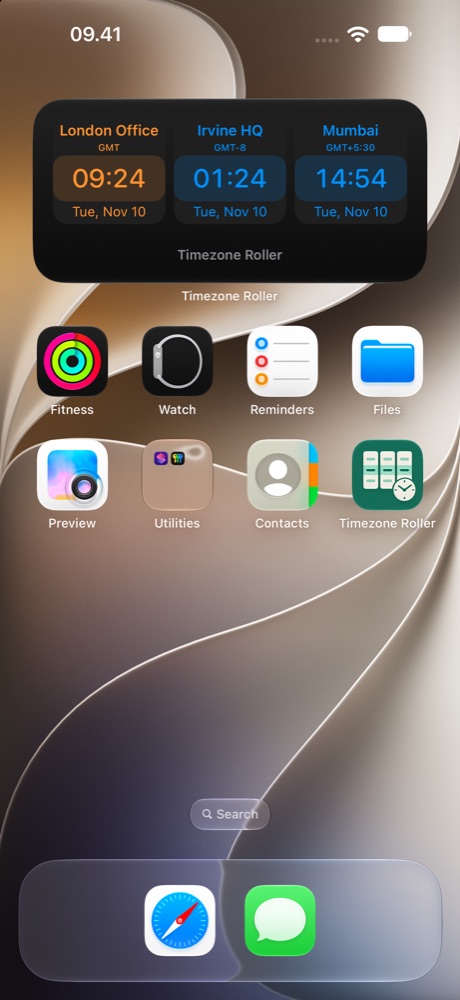
Your cities, just a glance away. The widget puts your current time zone first and keeps home close when you travel.
Tap to open Timezone Roller and plan ahead.
What’s included in Free and Pro
The free version includes your home city, two additional saved cities, and the Home Screen widget. Pro unlocks unlimited saved cities, calendar integration, and Apple Watch support.
One-time purchase. No subscription.
Try Pro free for 14 days, or unlock it with a one-time purchase. The trial does not renew or charge you automatically. See the App Store for your local price.